

HALLOWEEN / GOOGLE MEET
Backrooms - Google Meet
You’re on the call. You’re also walking behind yourself.
Just want the background? Skip the generation steps and use my video ↓
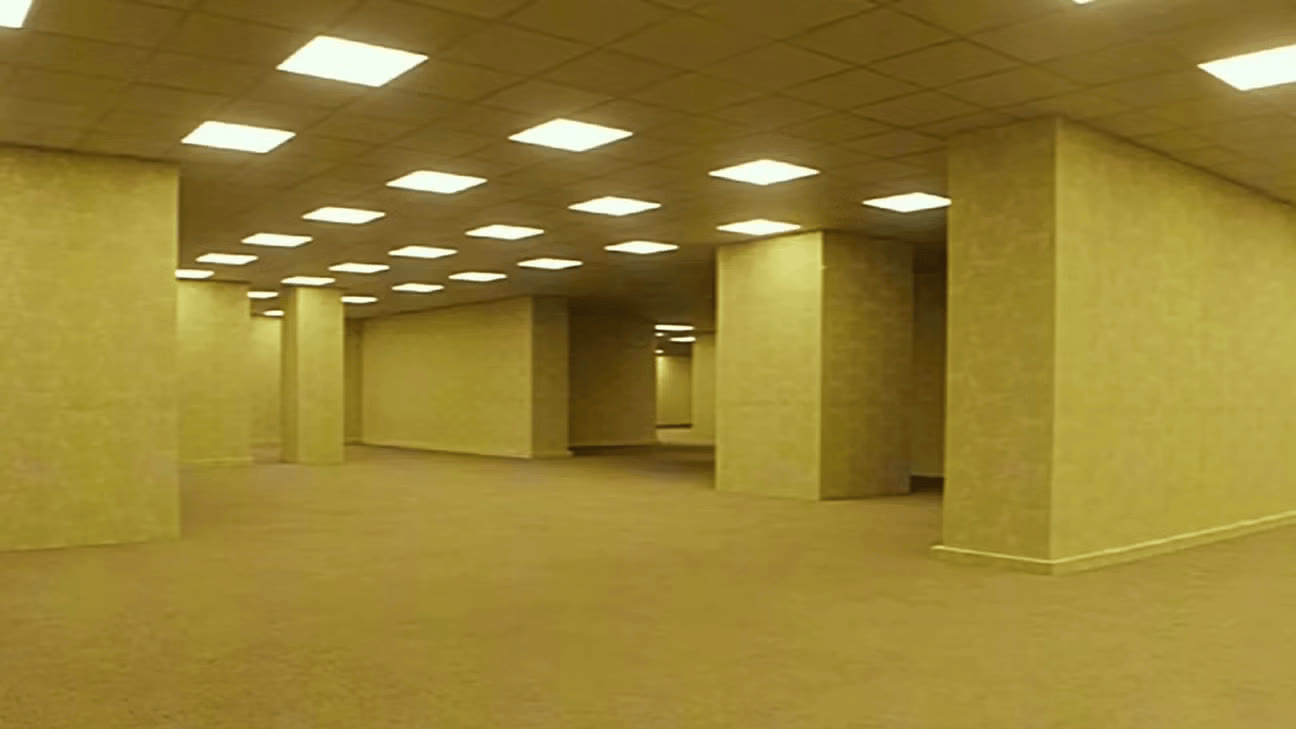
A custom video background can turn your Google Meet into whatever holiday you want. For Halloween, I went with the yellow Backrooms.
The idea: take the scene with Captain Clark and use my character sheet to replace him. Now I’m the one walking in the background.
 @advmsyed2.4K
01 / CHARACTER SHEET
Your face. Captain Clark’s outfit.
Before making the video, I made a character sheet in the Higgsfield image generator. I used my face photo for the identity and Captain Clark for the outfit.
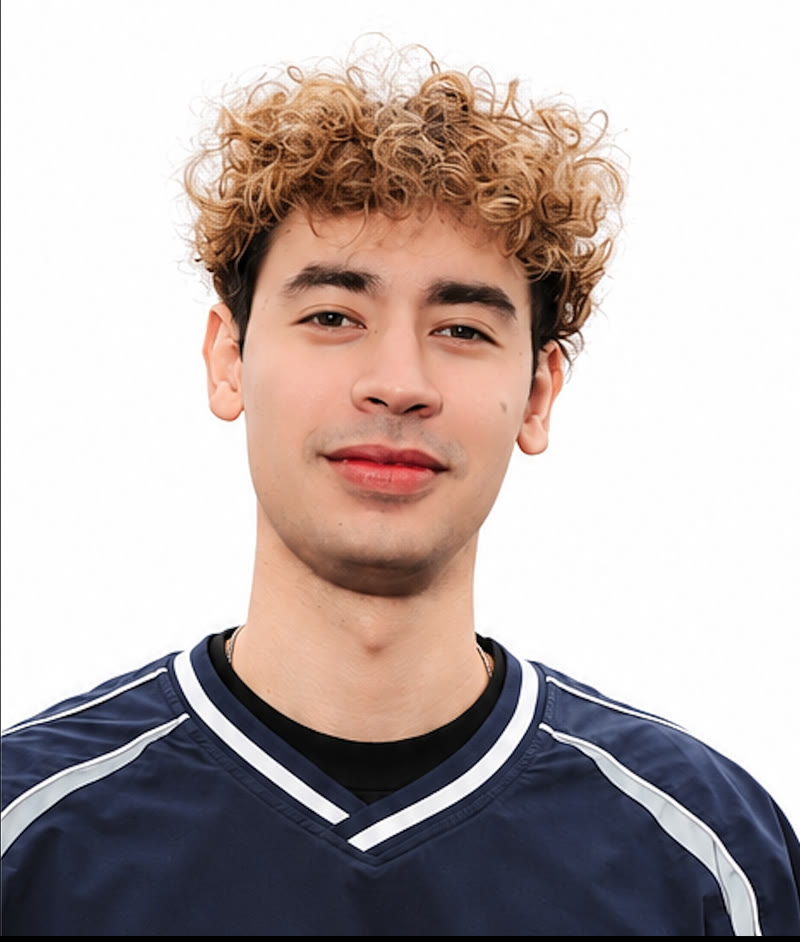
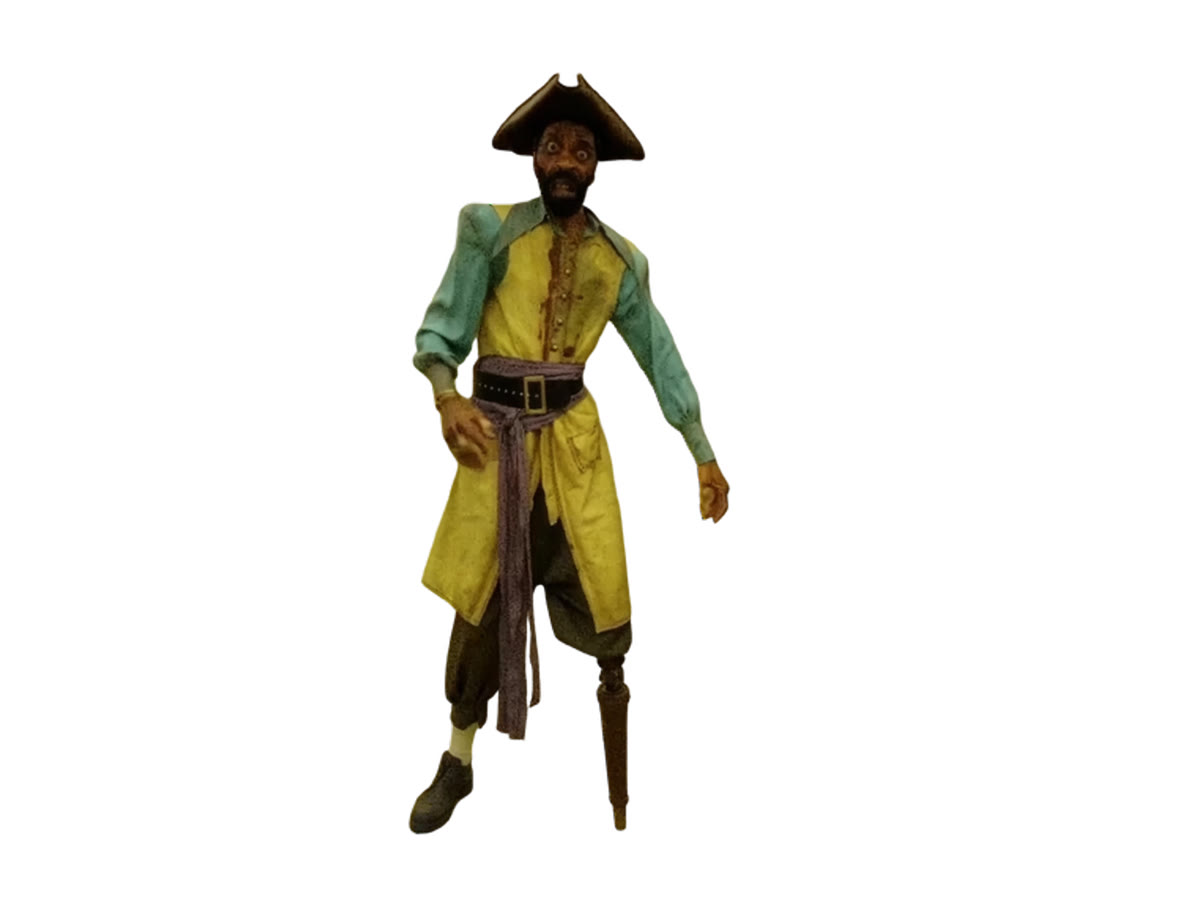
[Upload your face as Image 1 and your outfit reference as Image 2. Replace every bracketed instruction with your own details before generating.]
Copy the character-sheet template
REFERENCES Image 1: [Upload your clear face photo.] Image 2: [Upload the character or outfit you want to wear.] Use Image 1 for identity and Image 2 for clothing only. Do not copy the face from Image 2. Create a 3-panel character reference sheet with three equal vertical columns in a single horizontal frame, separated by thin white gutters. Use the same soft off-white seamless studio backdrop in every panel. IDENTITY Show the same person from Image 1 throughout. Preserve their facial structure, skin tone, eyes, brows, nose, lips, natural marks, hair color, and hair texture. Build and proportions: [describe your height and build]. Important details: [list any identity details to preserve, or write “match Image 1”]. OUTFIT Match the outfit in Image 2: its colors, silhouette, fabric, fit, accessories, and footwear. Details to include: [describe anything important or not clearly visible in Image 2]. For this Halloween example: a weathered black tricorn hat, mustard coat, sage-green sleeves, black belt with brass buckle, purple-grey sash, brown breeches, one cream stocking and leather shoe, and a wooden peg leg. [Replace this example if using a different outfit.] Keep the same outfit and accessories across all three panels. PANEL 1: FRONT Full body front, cropped at the jawline, showing the complete outfit down to the floor. Relaxed neutral stance, arms at the sides, centered with space around the figure. Match the footwear and any costume features from Image 2. PANEL 2: BACK Full body back, cropped at the nape, showing the full outfit down to the floor. Same relaxed stance. Show the back of the clothing, accessories, hems, and footwear consistently with the front view. PANEL 3: PORTRAIT Chest-up portrait, face turned slightly to a three-quarter angle, eyes toward camera, calm neutral expression. Clearly show the face, hair, and upper outfit. Preserve the identity from Image 1 exactly. LIGHT AND FINISH Soft, natural, diffused studio light with broad fill and gentle shadows. Sharp focus in every panel. Photorealistic skin with pores and subtle imperfections, individual hairs and flyaways, real fabric weave and drape, and natural material textures. Fine Kodak Portra 400-style grain, gentle warmth, slightly lifted blacks, and a soft vignette. Photographic, not rendered.
Original character-sheet prompt ↓
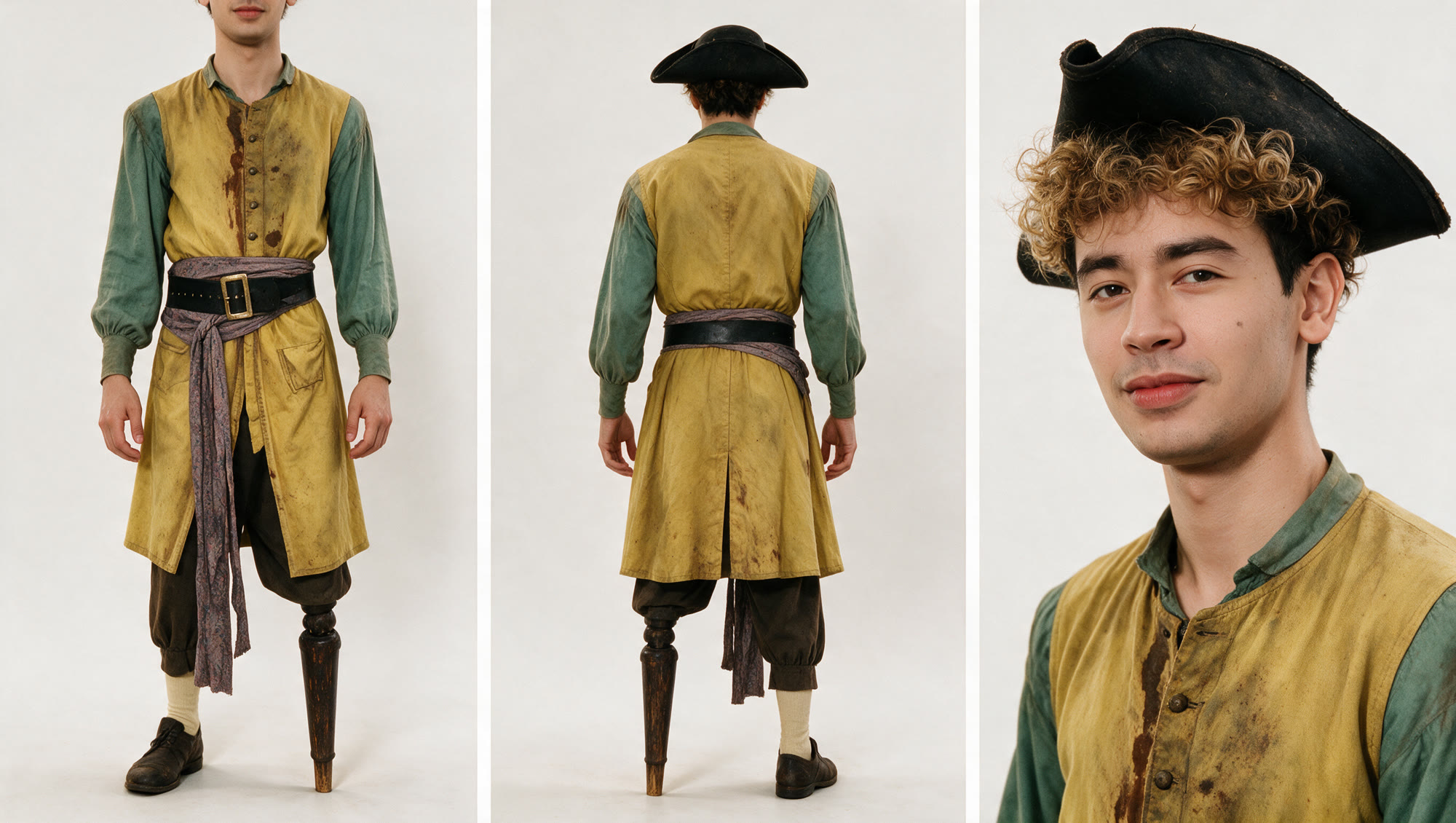
Ready for the Backrooms.
My face, the outfit, and three views to use as the video reference.
02 / VIDEO REFERENCES
The room and the character.
These are the two images I used for the video. The room sets the scene. The character sheet keeps my face and outfit consistent. [Replace my character sheet with your own before generating.]
03 / VIDEO PROMPT
Keep the middle empty.
The camera stays still and the character walks along the edges. That leaves room for you in the middle of the call. For this step, Image 1 is the room and Image 2 is your finished character sheet. Replace the bracketed details in the template. For another holiday, swap the room, outfit, mood, movement, and effects; keep the camera still and the center empty.
Copy the video template
REFERENCES Image 1: [Upload your background or room reference.] Image 2: [Upload your finished character sheet.] Use Image 1 for the setting and Image 2 for the character’s exact face, hair, outfit, and accessories. Keep the identity consistent throughout. STYLE AND MOOD [Describe your theme. For Halloween: liminal found-footage horror, sickly yellow-green fluorescent light, subtle video noise, and slow unsettling movement.] CAMERA AND COMPOSITION A completely locked-off static camera for the entire clip. No pan, zoom, handheld movement, or shake. Match the room layout and perspective of Image 1. Keep the middle third of the frame empty at all times so the person on the video call remains readable. The character appears only along the outer left or right edges. ACTION: ABOUT 16 SECONDS 0–2s: The room is empty and still. 2–7s: The character from Image 2 slowly emerges at the far left edge, moves along the side of the room, and disappears behind [a pillar or another object in your background]. Keep the character out of the center. 7–9s: Hold on the empty room. 9–14s: The character appears at the far right edge, pauses, slowly looks toward the camera, then continues walking and disappears behind [a pillar or another object in your background]. 14–16s: Hold on the empty room with the same framing and lighting as the opening, for a smooth loop. CHARACTER Preserve the face, hair, outfit, accessories, and proportions from Image 2. Do not substitute a different person. Movement: [describe how your character walks. For this Captain Clark costume: slow uneven steps, a wooden peg-leg knock, and a dragging shoe. Remove these details if your character has different footwear.] Scale: [natural human scale, or a deliberately tall horror silhouette]. ENVIRONMENT AND EFFECTS Match Image 1. [For the yellow Backrooms: mustard walls, square pillars, damp-looking carpet, a low tiled ceiling, and fluorescent panels. For a different setting, replace these details.] Effects: [For Halloween: sparse irregular fluorescent flicker and brief subtle signal glitches. For another holiday, describe your own lighting or effects.] Keep the background stable, the face consistent, and the center clear. No new furniture, text, or extra people. AUDIO [Describe room ambience, or request no audio. For this example: fluorescent hum, faint electrical crackle, and footsteps. No music or dialogue.]
READY TO USE
Don’t want to make your own?
Use mine. Download the background below, then follow the Google Meet setup steps.
04 / TAKE IT TO GOOGLE MEET
Time to spook your teammates.
With your own video or my download ready, install Google Meet Video Background in Chrome.
- Install the extension from the Chrome Web Store.
- Join a Google Meet call.
- Upload your own video or the downloaded background using the extension.
Now you’re on the call, and wandering through the Backrooms behind yourself. Time to spook your teammates.
Get the Chrome extensionThe first of many.
Follow me on Instagram @advmsyed for more tutorials. This is just the first of many. Hope to see you soon.
I’m also putting together a class. Sign up for my newsletter below to hear when it’s ready.